Almost all default.asp and index.html pages from diffrent clients accounts, on win 1 and win 2 cluster 2, contains in page code following inserted code:
The .gif address is 302 redirected to : jumpcb.com
The inserted code is even on the index.html generated by default by Hsphere .
The website pages from my development computer do not contain this image insert in code.
Webshell or WinSCP do not show any difference between modify/change time of an injected default.asp file comparred with the modify/change time of an asp file uploaded on same time, on same directory.
This is happening on many due to weak FTP or frontpage passwords on any domain in an account, or FCKEditor uploads as well. We have seen it and fixed it a number of times on sites, and many times can find the issue in logs, but sometimes it is very cumbersome as people have many domains. There are entire botnets with rouge PCs scanning for and doing this junk.
all it takes is one script, one remote include vulnerability (wordpress/mambo/joomla addons also being targeted HEAVILY now) and every domain in your FTP root can have this happen. They are not coming all at once, but over a period of 48-5 hours, we block the IPs when we notice them, but highly difficult to do as most request look like fully legit HTTP requests hitting pages, no different than a web spider, only then they start hitting other services and finding holes. Some also use google to pinpoint possible vulnerable pages/versions by using insite searches (occasionally you can see these in referrer on first hits)
Stephen, i think that in this case is not about the mentioned causes.
One example:
Account with single domain
Ftp password: 12 catacthers, randomly generated, uppercase and lowercase letters plus numbers
Website: custom classic asp ( no CMS, no webeditor) accessible using a login page.
Website created and uploaded on server on august 2011, and unaccessed by FTP until now.
The modify/change time of the injected default.asp is same as of other .asp files ( august 2011) ( ?!!) .
The guy from above mentioned post from Symantec forum has verified the server for malitious active processes, after finding that every time the server is rebooted, the code is re-injected into sites that have previously been cleaned.
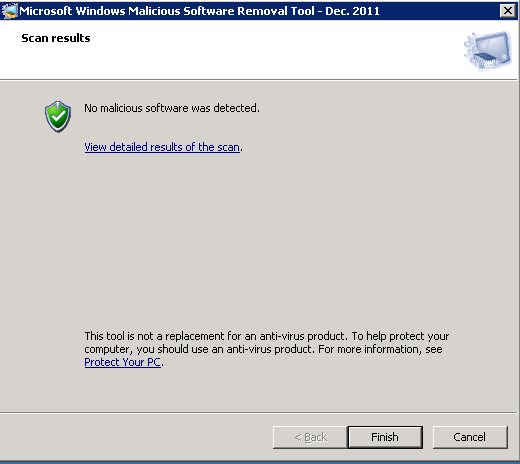
I am willing to check anything here, but I’ve seen this more than once from confirmed logs via HTTP. There is nothing even suspect on processes, services, or executing outside of allowed IIS settings here. I as said, am more than willing and am checking, MS just updated MRT today so I am running that now, and will check others as well. I’ve had MRT find client files with issues many times on a full or custom scan, along with other AV systems (we are careful with them as they screw up asp.net pages when touching them at times), but we never execute a client provided file on the server.
I want to add that I saw this on a client site yesterday morning – someone had weird URLS pasted in their header file.
I have been digging around this evening and found weird entries in the http log. I traced down a file in a subdirectory of a subdirectory that allows what appears to be file access to everything in the D:\hshome directory. I do not know for sure if this does, indeed, allow file access as I do not want to access another user’s directory. It appears to list ever folder in D:\hshome, though. I have requested a copy of the log file for the date the weird file was created in my web directory. I have yet to hear back on the support ticket. I want to try and pin down if my web directory was accessed through a bad script, password or from another user’s web directory with a similar type file with filesystem access.
I can contact you by email if you want to take this investigation offline.
On this, there are a few scripts that can allow listing, but should not allow access unless they have asked for network service to have full permissions (a few apps require this for some dumb reason) please give me the ticket ID will check it.
I would like to copy the file and setup a test, I have accounts I can test on a few servers if needed.
right now I am using AV to scan memory and OS drive, just to confirm that my eyes, and knowledge of windows is not getting the best of me here or something I am not seeing. I am not one to be so haughty I will say I can’t miss something. I am human and can miss things, and tools are there to help!
Mem scan done:
Scan Started Tue Dec 13 20:05:52 2011
*** Scanning Programs in Computer Memory ***
*** Memory Scan: using ToolHelp ***
If they are able to use this kind of script to move around the file system, I am not sure if an AV scanner would think it was malicious. Wouldn’t it look like a normal IIS process?
Again, I honestly don’t know if they used the malicious script for that or not. I only know it was used to modify a header file on my site.
Sure, that is the case there, but I am talking about the statement of on reboot it edited all. I dont think that is the case at all, that came up before yours and I just want to be 100000% sure, better safe than sorry.
I have seen edits through IIS without a doubt(in fact basically all such have been), and will next check your ticket and test it out and find out if it does allow some added access, how, why, and work to stop it however is needed.
Holy smokes, system drive good, but finding quite a few users files infected (exe’s and zips they uploaded) I am debating what to do with them exactly, we don’t have a policy for this at the moment but think the TOS may need to be edited to specifically mention virus infected files we reserve the right to quarantine or delete.
I never wanted to really take this step, but I think it is time now.
these aren’t anything that we’ve controlled/made in the past, but users have been infected and uploaded them etc.
ALso will note, it is detecting some sitebackdoors in some php pages as well, so yes it is seeing some web based items in AV scan.
Just for my information, how is possible that: modify/change time of the injected default.asp file is unchanged.
Webshell or WinSCP do not show any difference between modify/change time of an injected default.asp file comparred with the modify/change time of a clean .asp file uploaded on same time, on same directory.
That is easily doable, except by MS FTP, so that is basically all that is ruled out here.
MS FTP on iis6 cannot use timestamps other than the uploaded time, on 7.5 it can, and on frontpage(or visual studio with FP extension deployment). This is for source control to keep time stamps between revisions etc.